MenuPilot – Preview-First Menu Import & Export application icon

MenuPilot – Preview-First Menu Import & Export

0.0 out of 5.0 (0 reviews)

Download from External Source

You will be redirected to a waiting page.

App Information

Category: Development

Platform: WordPress Plugins

Version: 1.0.2

License: Free

Downloads: 0

Views: 50

Released: Jan 23, 2026

Last Updated: Feb 27, 2026

Available Versions
v1.0.2
Released: Jan 23, 2026
Download v1.0.2

MenuPilot – Preview-First Menu Import & Export - Complete Description

Category: Development Platform: WordPress Plugins

MenuPilot is a focused menu import and export plugin designed to help you move one menu at a time between WordPress sites with confidence.

Unlike basic import tools, MenuPilot shows you exactly what will happen before anything is imported. You can review the menu structure, see which items match existing content, resolve missing items, and proceed only when everything is clear.

This makes MenuPilot ideal for moving menus from staging to production, local development to live sites, or between similar environments — without overwriting existing menus or breaking links silently.

What MenuPilot Does

  • Exports a single navigation menu as a JSON file
  • Imports a menu as a new menu (never overwrites existing menus)
  • Provides a full preview and mapping screen before import
  • Intelligently matches menu items to existing content
  • Preserves menu hierarchy, order, and metadata
  • Replaces source site URLs with destination site URLs automatically

Features

  • Export individual menus (JSON format)
  • Import one menu at a time as a new menu
  • Preview screen before import showing:
    • Menu name
    • Total menu items
    • Source site URL
    • Export timestamp
    • Matched and unmatched items
  • Intelligent auto-matching of menu items using:
    • Post type + slug
    • Taxonomy + slug
    • Normalized custom links
  • Manual mapping override per menu item
  • Clear warnings for:
    • Missing pages, posts, or taxonomies
    • Items converted to custom links
    • Theme location availability
  • Automatic home URL replacement during import
  • Preserves:
    • Menu hierarchy
    • Menu order
    • CSS classes
    • Link attributes (target, rel)
    • Descriptions
  • Visual import progress and clear success/error messages
  • Native WordPress admin UI (no custom frameworks)

Requirements

  • WordPress 5.8 or higher
  • PHP 7.4 or higher
  • Classic WordPress menu system

Configuration

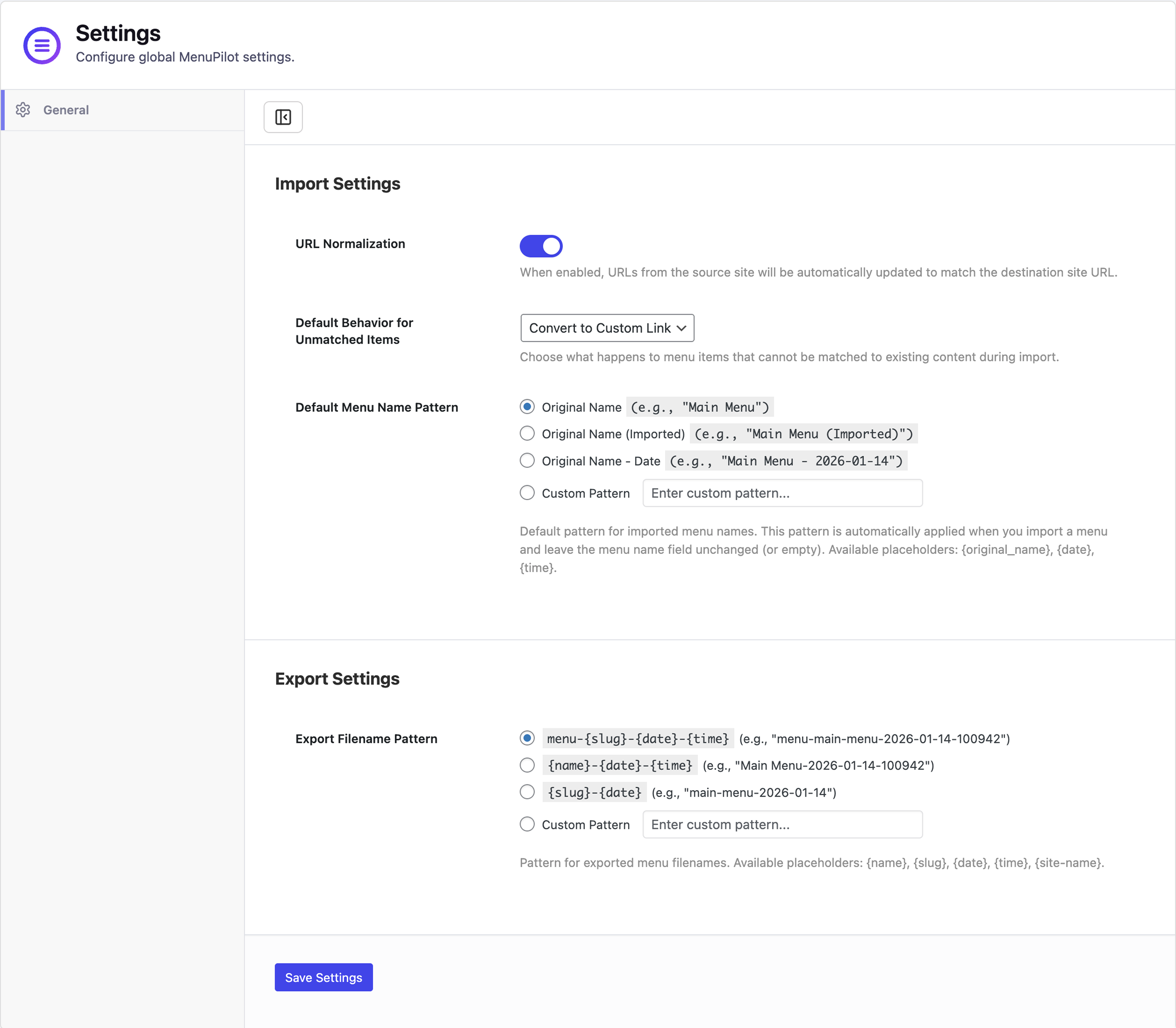
MenuPilot requires no configuration to start using. Once activated, you can immediately export and import menus.

Usage

Exporting a Menu

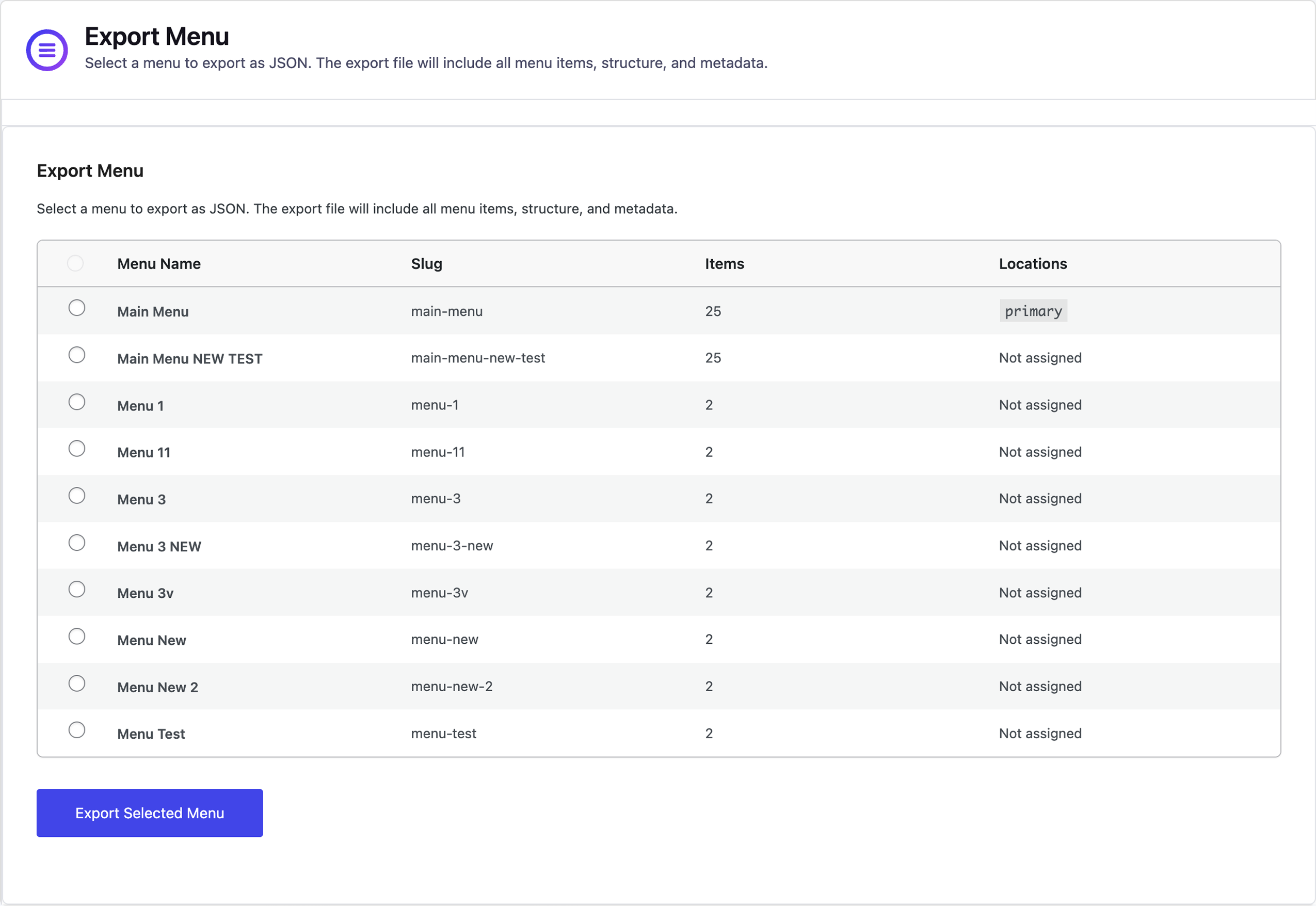
  1. Navigate to MenuPilot Export Menu in the WordPress admin.
  2. Select the menu you want to export from the dropdown.
  3. Click the “Export Menu” button.
  4. A JSON file will be downloaded to your computer.
  5. Save this file for importing to another site.

Importing a Menu

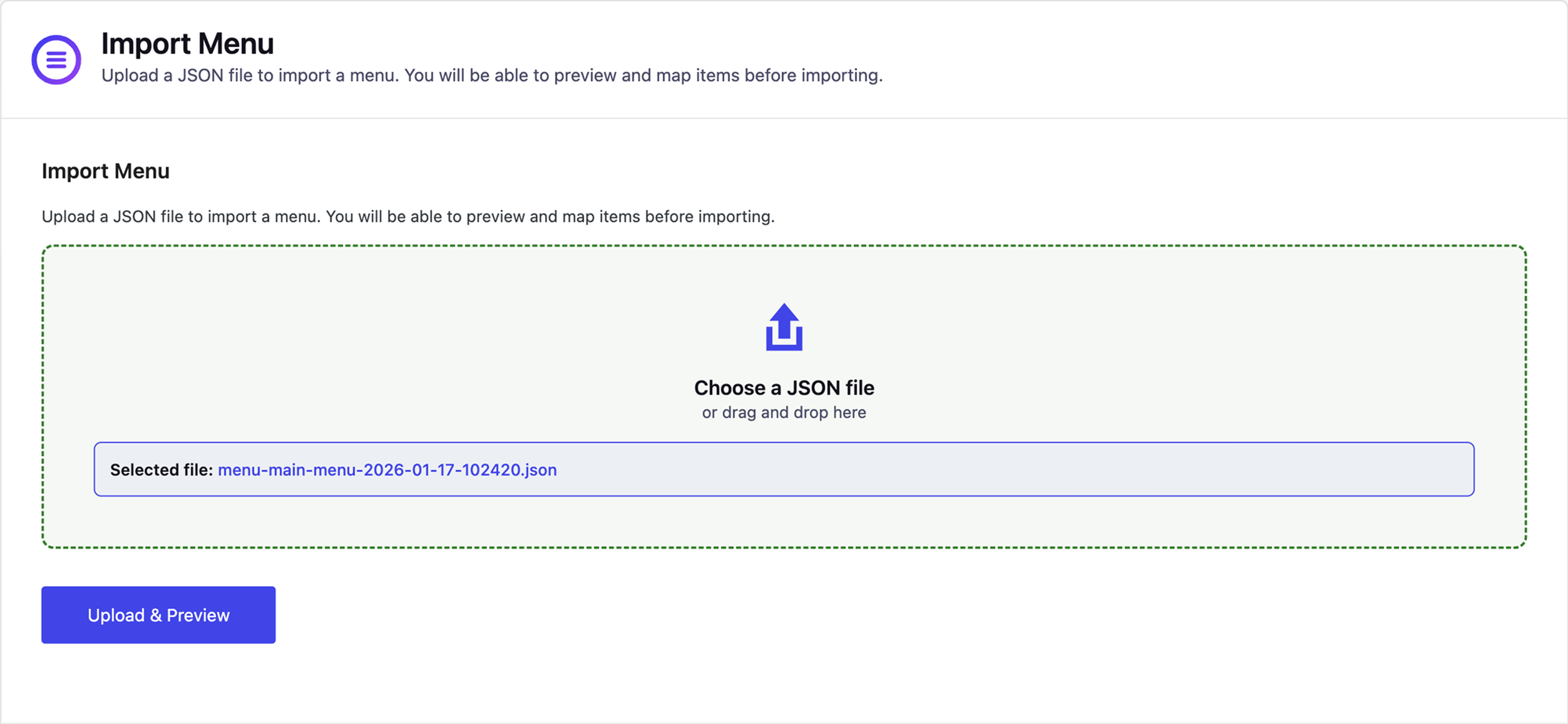
  1. Navigate to MenuPilot Import Menu in the WordPress admin.
  2. Click “Choose File” and select a previously exported JSON file.
  3. Click “Upload & Preview” to see what will be imported.
  4. Review the preview screen:
    • Check menu name (you can edit it)
    • Review matched and unmatched items
    • Manually map items if needed
    • Remove items you don’t want to import
    • Optionally assign the menu to a theme location
  5. Click “Import Menu” to complete the import.
  6. The menu will be created as a new menu (existing menus are never overwritten).

Important Notes

  • MenuPilot always imports menus as new menus – it never overwrites existing menus.
  • Always review the preview screen before importing to ensure items are matched correctly.
  • Unmatched items will be converted to custom links automatically.
  • You can manually map items to different content using the “Map To” dropdown in the preview.
MenuPilot – Preview-First Menu Import & Export - Screenshots & Visual Gallery

Visual preview of MenuPilot – Preview-First Menu Import & Export interface and features

50
Views
0
Downloads
0.0
Rating
1.0.2
Version

User Reviews & Ratings for MenuPilot – Preview-First Menu Import & Export

Real user experiences and feedback about MenuPilot – Preview-First Menu Import & Export application

0.0

Based on 0 reviews

Submit Your Review

Reviews
No reviews yet

Be the first to review MenuPilot – Preview-First Menu Import & Export!

Frequently Asked Questions About MenuPilot – Preview-First Menu Import & Export

Common questions and answers about MenuPilot – Preview-First Menu Import & Export for WordPress Plugins users

MenuPilot – Preview-First Menu Import & Export is a leading development application designed specifically for wordpress plugins platforms. Developed by Mayank Majeji, this powerful wordpress plugins software offers exceptional functionality and user experience. The application has earned a 0 star rating from users and stands out among other development tools in the market.

Downloading MenuPilot – Preview-First Menu Import & Export is simple and secure. Click the prominent download button on this page to get the latest version v1.0.2. This free download includes all features and works perfectly on wordpress plugins devices. The download process is fast, safe, and completely free of charge.

MenuPilot – Preview-First Menu Import & Export is optimized for wordpress plugins compatibility and works seamlessly across different versions. The application is lightweight, efficient, and designed to run smoothly on most wordpress plugins systems. For the best experience, ensure your device meets the minimum requirements outlined in the application description.

Yes, MenuPilot – Preview-First Menu Import & Export is available as a completely free application. You can download, install, and use all features without any cost. The development software comes with full functionality, regular updates, and ongoing support from the developer Mayank Majeji.

MenuPilot – Preview-First Menu Import & Export stands out among development applications for its superior performance, user-friendly interface, and comprehensive feature set. Unlike other development software, it offers better integration with wordpress plugins systems and consistently delivers reliable results.

MenuPilot – Preview-First Menu Import & Export combines innovation, reliability, and ease of use in one comprehensive development solution. Developed by the experienced team at Mayank Majeji, this wordpress plugins application offers features that competitors simply cannot match. With a 0/5.0 user rating and thousands of satisfied users, it's proven to be the top choice for development needs.