Twentig – Toolkit for Block Theme (Starter Sites, Portfolio, Blocks, Patterns) - Complete Description
Category: Development • Platform: WordPress Plugins
The easy way to create your own website.
With its powerful tools, the Twentig plugin helps you create a stunning website easily. Customize your block theme and build beautiful pages — no coding or design skills needed.
With starter sites, portfolio features, enhanced Gutenberg blocks, and block patterns, you’ve got everything you need to build a beautiful website that looks great on any device.
Customize Twenty Twenty-Five or any block theme.
With its essential tools, Twentig helps you customize the Twenty Twenty-Five theme or any block theme built for full site editing.
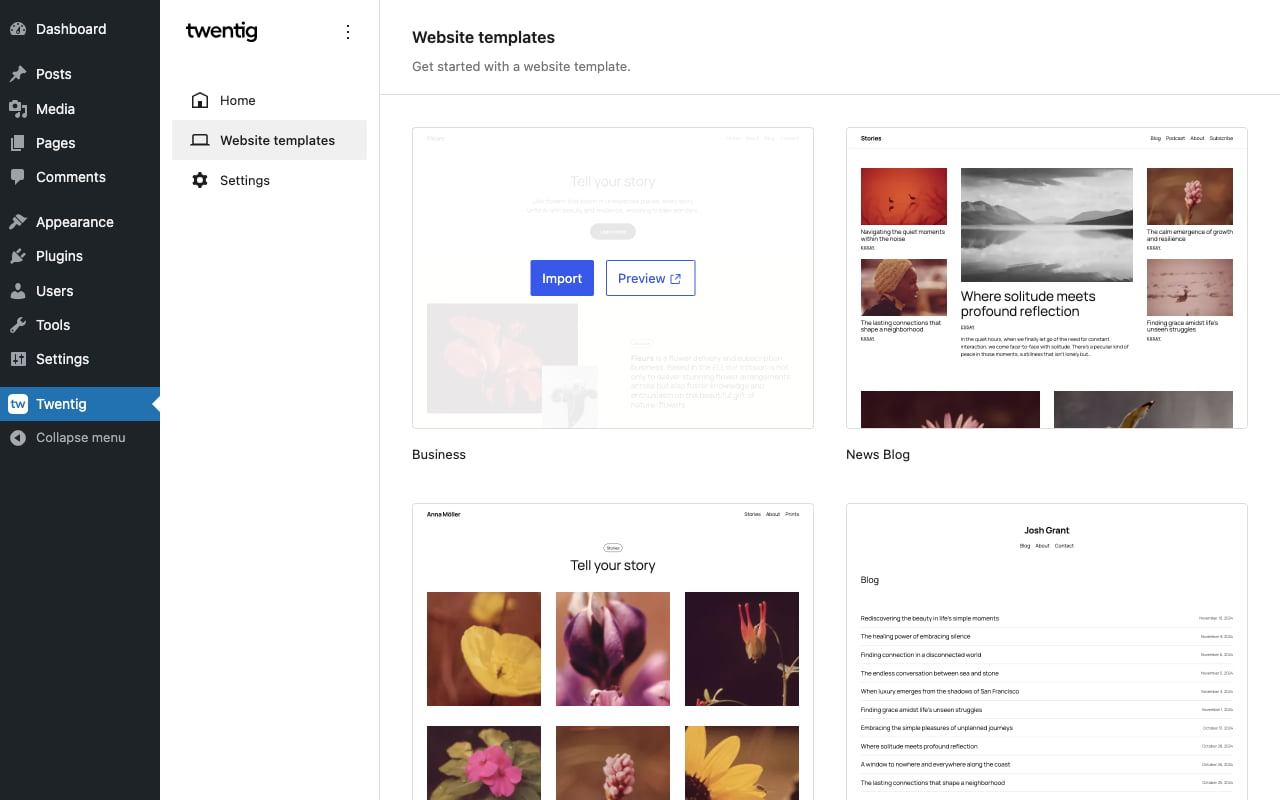
Starter sites. No need to design your website from scratch. To save you time and effort, import a ready-made starter site from our ever-growing library.
Starter sites for the Twenty Twenty-Five theme:
Starter sites for the Twenty Twenty-Four theme:
Enhanced theme blocks. Twentig extends the Gutenberg blocks that structure your entire site with advanced settings like navigation breakpoint, responsive logo width, menu hover style, and many more.
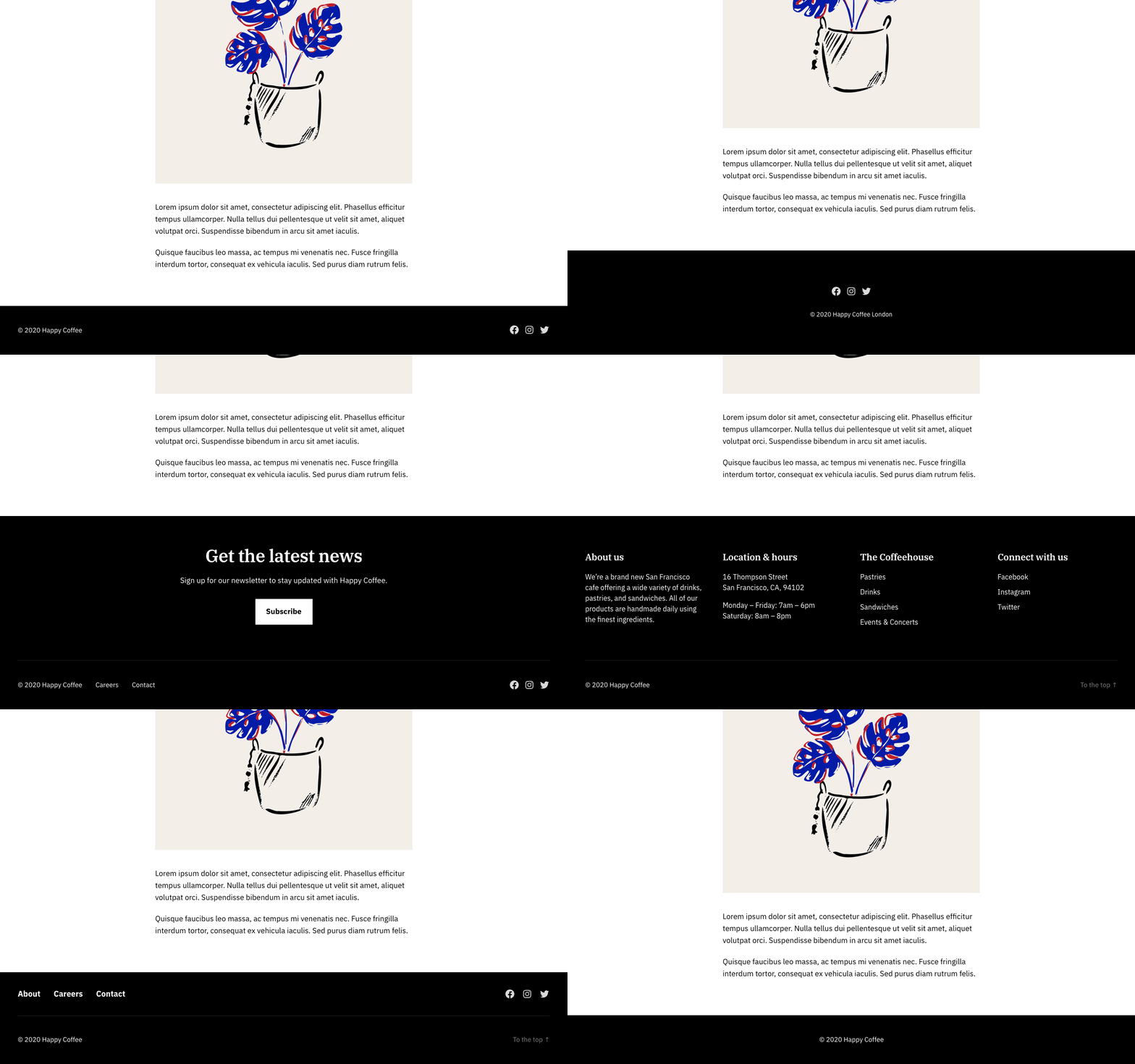
Additional block patterns. Twentig lets you quickly build your blog, portfolio, header, and footer with pre-built block patterns.
Do more with Gutenberg blocks.
Twentig enhances the existing Gutenberg blocks — taking the WordPress block editor to a new level of design and creativity.
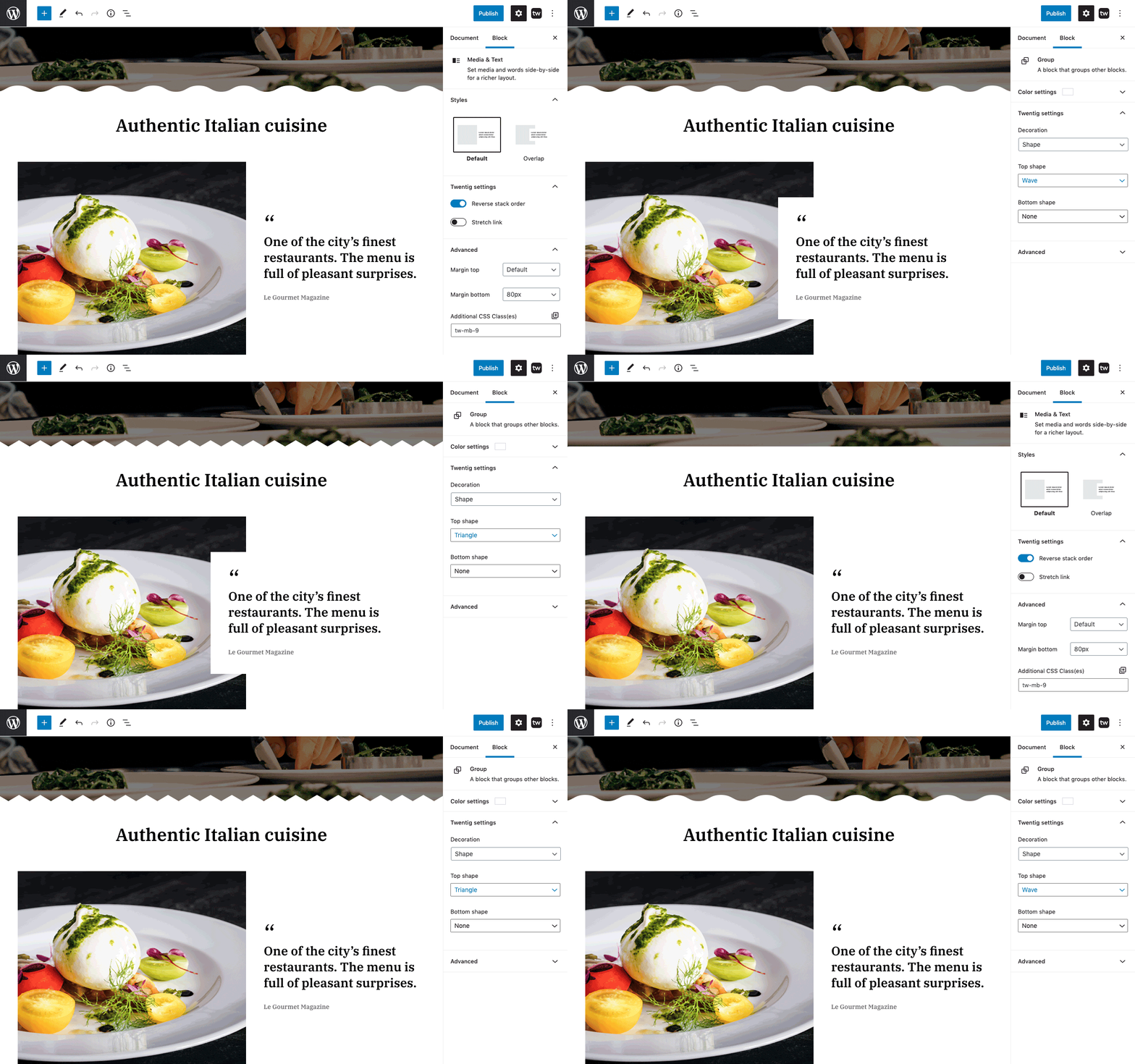
Powerful Gutenberg block features. Twentig provides alternative styles, additional block settings, and CSS classes. From scroll animations to group shape divider to typography settings, you have the best tools to customize the Gutenberg blocks.
Block customization made easy. We’ve added the right amount of features to the Gutenberg core blocks. So you can easily customize your blocks to fit your needs with just a few clicks.
Build your website with ready-to-use patterns.
Twentig brings hundreds of pre-designed block patterns and page templates — making it easier and faster than ever to create stunning pages.
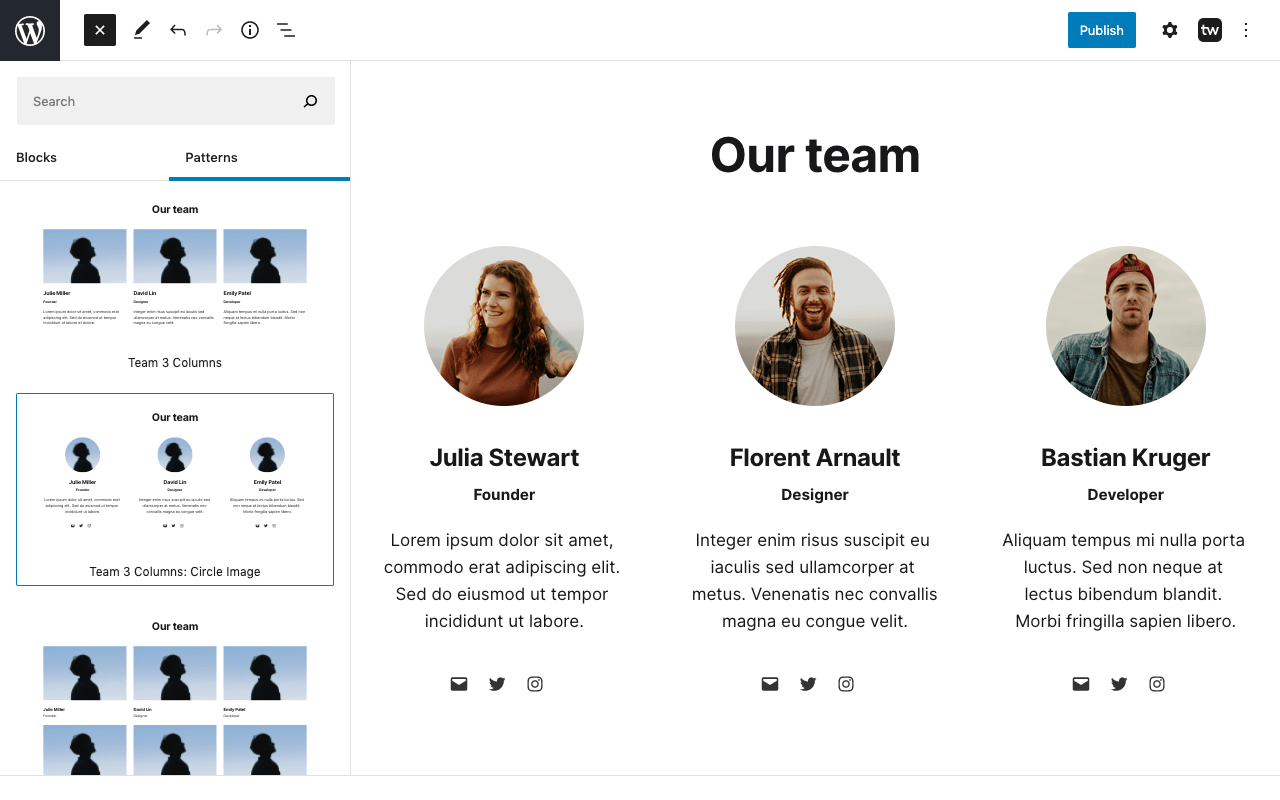
Flexible block patterns. Choose from a variety of versatile block patterns and page templates that you can mix and match to fit your project. Our pattern library is designed to enable a wide range of uses and endless design possibilities.
Professional design. Our patterns are responsive and give your pages a professional look right from the start.
Create a stunning portfolio website
Twentig provides all the WordPress tools you need to easily create a portfolio website that showcases your work online beautifully.
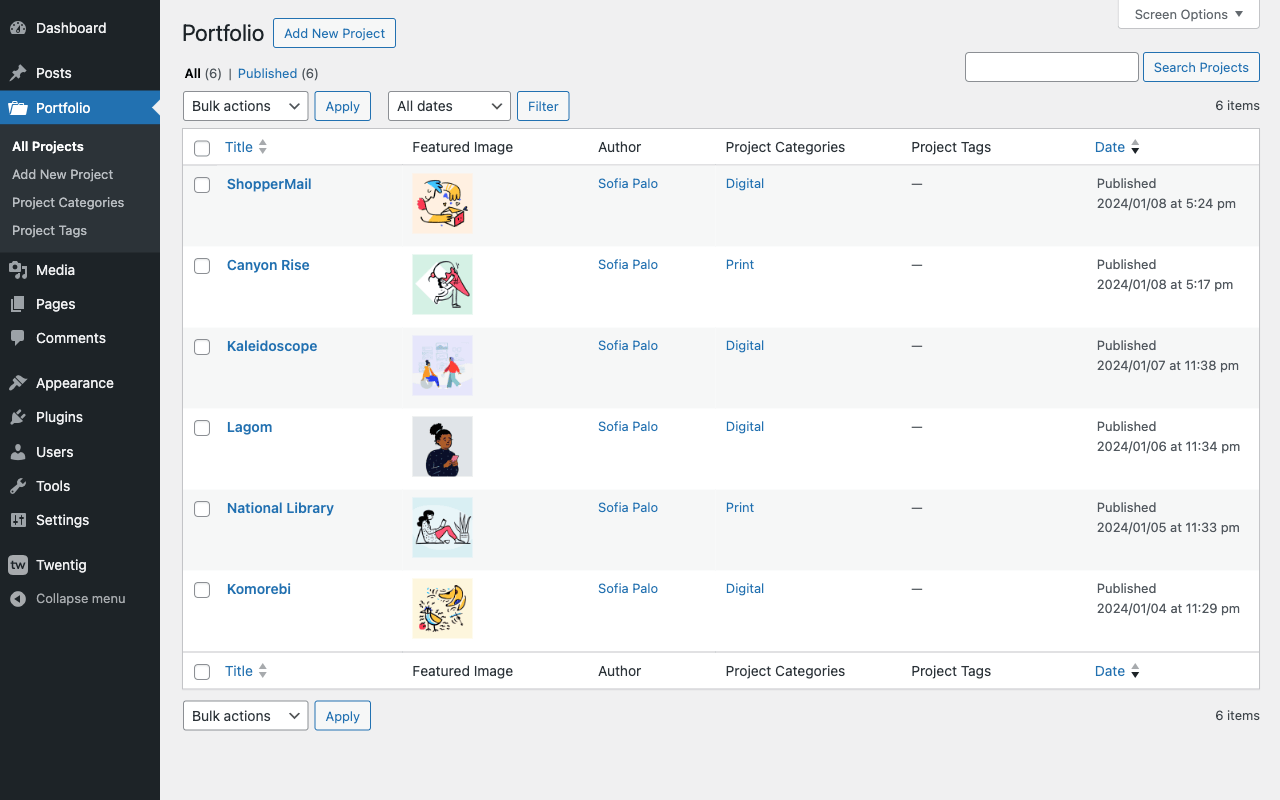
Portfolio post type & taxonomies. With Twentig’s portfolio post type, you can seamlessly manage all your projects in one place. Use the WordPress block editor to build your portfolio pages, add featured images, and assign project categories and tags.
Portfolio block. Display your projects with our powerful yet simple portfolio block. You can customize its query settings, layout, and style. It works just like the Query Loop block — making it a familiar experience.
Portfolio block patterns. Choose from a variety of patterns to showcase your projects including grid, grid overlay, or split layout. Change the design in a single click and select the pattern that fits your needs.
Using the Twenty Twenty-One or Twenty Twenty theme?
If you prefer to use the Customizer instead of full site editing, Twentig offers advanced options to customize the Twenty Twenty-One and Twenty Twenty themes.
Advanced theme customization. From post grid to sidebar to sticky menu to header & footer layouts, our plugin provides endless ways to enhance your WordPress theme. Change the design of your website by customizing the fonts (Google Fonts), site layout, global styles, 404 page, and more.
Custom page templates. Control the look of your entire page with our page templates. Remove the page title, header & footer, or set a transparent header. Now you can use Gutenberg blocks to create a custom hero, landing page, coming soon page, and more.
Starter websites. Instead of starting from scratch, you can quickly import one of Twentig’s Starter Websites.
Twentig features list
Check out the screenshots to see how Twentig can transform your theme and the Gutenberg blocks.
ADDITIONAL SETTINGS FOR GUTENBERG THEME BLOCKS
- Navigation: responsive breakpoint, menu icon size, hover style, active style
- Site Logo: image width on mobile
- Query Loop: vertical alignment, responsive column width
- Post Title: typography options
- Post Featured Image: shapes, hover effect
- Post Tags and Post Categories: styles (outline, pill, hashtag, plain)
- Post Author: inline layout, avatar shape
- Pagination: page numbers styles (circle, square, plain), previous page and next page styles (pill, square)
- Previous Post and Next Post: styles (stack, arrow)
ADDITIONAL GUTENBERG BLOCK SETTINGS
- Gutenberg core blocks: scroll animation, responsive visibility
- Group: shape divider
- Columns: responsive layout
- Column: stretched link
- Media & Text: styles (shadow, overlap), responsive layout, reverse stack order, stretched link, full height
- Cover: shapes, stretched link, hover effect
- Heading: typography options, decoration
- Paragraph: typography options
- List: styles (dash, checkmark, arrow, border, no bullet, inline), spacing
- Details: icon, icon position
- Separator: styles (asterisks, dotted, dashed), width, height
- Image: shapes
- Gallery: fixed width columns, image aspect ratio, vertical alignment, responsive layout, caption size, border, black & white filter
- YouTube, Vimeo, SoundCloud, and Video blocks: style (frame)
- Social Icons: styles (square, rounded), hover effect
- Quote and Pullquote: additional styles
- Table: styles (border, inner border), vertical alignment
- Tag Cloud: style (pill)
- Search: style (underline)
PATTERN LIBRARY
Hundreds of Gutenberg block patterns and pre-designed page templates grouped by following categories:
- Columns
- Text and Image
- Text
- Hero
- Cover
- Call to Action
- List
- Numbers, Stats
- Gallery
- Video, Audio
- Contact
- Team
- Testimonials
- Logos, Clients
- Pricing
- FAQs
- Events, Schedule
- Posts (block themes)
- Portfolio (block themes)
- Headers (block themes)
- Footers (block themes)
- Pages (Homepage, About, Services, Contact)
- Single Page
Get more
- See our quickstart guide to learn the basics of using Twentig.
- Subscribe to our newsletter to receive exclusive content, tips and updates.
- Subscribe to our YouTube channel for upcoming tutorials.
- Explore the best WordPress websites built with the block editor for inspiration.
Enjoying Twentig?
- Rate it on WordPress.
- Donate to support its development.