
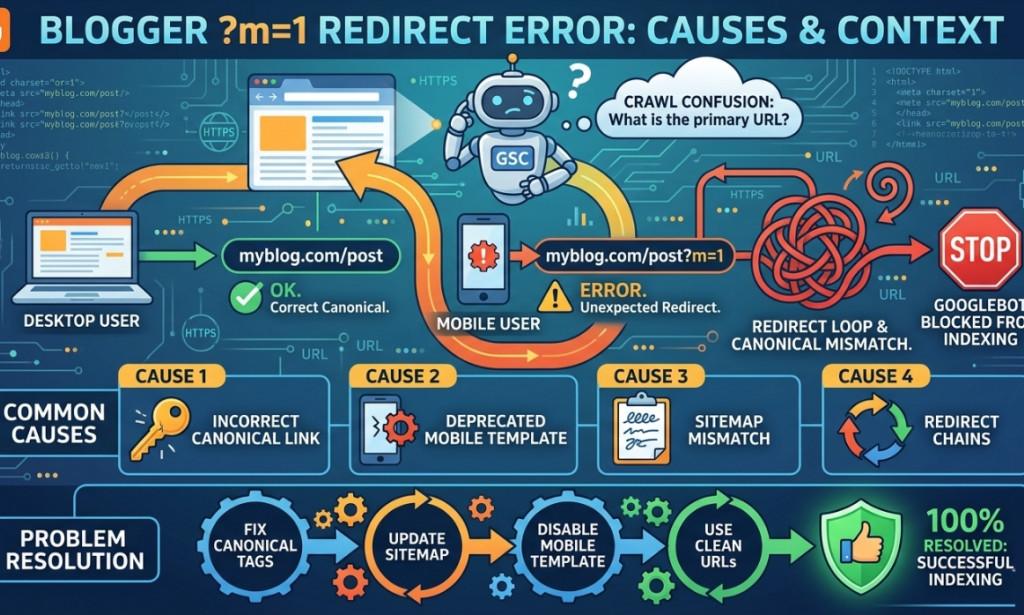
What is the 'm=1' at the end of my blog?
Imagine your blog address is like your home address. Sometimes, when people visit your blog on a phone, Blogger adds a little tail at the end that says '?m=1'. It is like adding ' (for mobile)' to your house number! While it helps Blogger know you are on a phone, it can look a bit messy when you share the link with others.
Blogger-এ Redirect Error (m=1 Issue) কী এবং কীভাবে 100% সমাধান করবেন
Why should we fix it?
A clean link is much easier to read and looks much better when you send it in a message. Also, making your link look clean helps search engines like Google understand your blog better. Don't worry, fixing it is as easy as pie and you don't need to be a computer genius to do it!
Steps to fix the redirect issue
Follow these simple steps to tidy up your blog:
- First, log in to your Blogger Dashboard where you write your posts.
- On the left-side menu, click on the word Theme.
- Look for the button that says 'Customize'. Click the tiny arrow next to it and choose Edit HTML.
- Now, you will see a lot of computer code. Don't be scared! Press Ctrl + F on your keyboard (or Cmd + F on a Mac) and search for the tag that looks like this:
. - Just above that tag, paste a special piece of 'cleaning' code that tells the browser to hide the m=1 part.
The Magic Code
Copy and paste this script right above the line:
After you paste it, click the little Save floppy disk icon at the top right. Now, when you visit your blog on a phone, the messy tail will disappear automatically! Your blog is now looking super professional.
You must be logged in to post a comment.